Blocker Counter
Blocker Counter documentation
Blocker Counter adds a read-only Issues blocked field to every Jira Cloud issue. It shows how many unresolved issues the issue blocks, directly or through a chain of “blocks” links, so you can see which work unblocks the most other work.
- What the count means
- Show the count on backlog cards
- Filter and sort with JQL
- How counts stay up to date
- Recalculate all counts
- FAQ
- Support
What the count means
The count is the number of unique, unresolved issues you reach by following “blocks” links outward from an issue, to any depth.
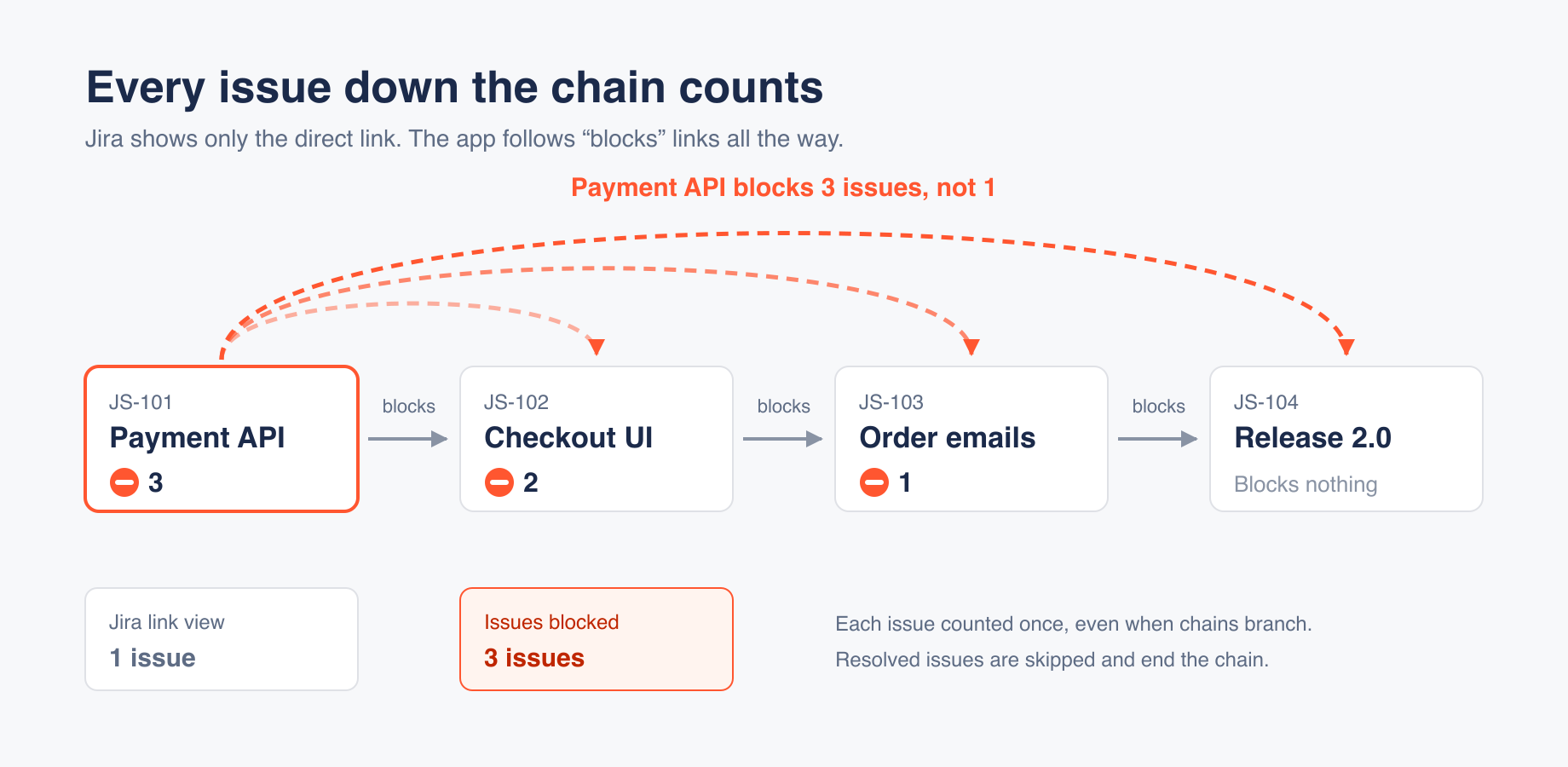
If A blocks B, B blocks C and C blocks D:
| Issue | Blocks, directly or through the chain | Issues blocked |
|---|---|---|
| A | B, C, D | 3 |
| B | C, D | 2 |
| C | D | 1 |
| D | nothing | (empty) |
The counting rules:
- Only the “Blocks” link type counts. Links such as relates to, duplicates and clones, and custom link types, are ignored. Parent/child and sub-task relationships are not blocking links.
- Each issue is counted once. If A blocks both B and C, and both of them block D, A’s count is 3 (B, C and D), not 4.
- Resolved issues are not counted, and the chain stops there. A resolved issue no longer blocks anything. With A → B → C (Done) → D, A’s count is 1.
- Circular links are handled safely. If A blocks B and B blocks A, both show 1. An issue is never counted in its own total.
- Links across projects count, and every issue type takes part.
- A count of 0 is shown as empty, so only issues that block something stand out.
Show the count on backlog cards
On company-managed boards, add the field to your backlog cards once per board:
- Open the board and go to Board settings → Card layout.
- Under Backlog, choose Issues blocked and click Add.
Every backlog card now shows its count, for example “⛔ 3”. Hover over it to see the field name. You need permission to administer the board to change its card layout.
Backlog cards on team-managed boards aren’t supported yet. The field still works in the issue view and in JQL on every project.
Filter and sort with JQL
Issues blocked is a number field, so you can use it in any JQL search, filter or dashboard gadget.
Issues that block anything, biggest blockers first:
"Issues blocked" > 0 ORDER BY "Issues blocked" DESC, priority DESC
Issues that block at least 5 others in one project:
project = ABC AND "Issues blocked" >= 5
How counts stay up to date
Counts update automatically, usually within a minute, when:
- a “blocks” link is added or removed,
- an issue is resolved or reopened, or
- an issue is deleted.
A change updates every issue further up the chain. For example, if D starts blocking E, the counts of A, B, C and D all go up by one.
When you install the app, it counts all existing links once in the background. On large sites this can take a few minutes.
Recalculate all counts
If counts ever look wrong, for example after a Jira incident, you can rebuild them all:
- Go to Jira settings (⚙) → Apps.
- In the sidebar, open Blocker Counter.
- Click Recalculate all.
The recalculation runs in the background. Only Jira administrators can open this page.
FAQ
Why is the field empty on an issue? The issue doesn’t block any unresolved issue, so its count is 0 and shown as empty. Check that its links use the “Blocks” link type and that the issues it blocks aren’t already resolved.
Why didn’t a count change straight away? Updates usually take under a minute. If a count is still wrong after a few minutes, use Recalculate all.
Can I edit the field? No. The app calculates it, so it is read-only.
Is there a limit? To keep calculations fast, the app stops counting at 500 issues. An issue that blocks more than 500 issues shows 500.
Can I count other link types? Not yet. Only the built-in “Blocks” link type is counted.
Does the app send my data anywhere? No. The app runs entirely on Atlassian’s cloud and never sends data outside it. See the Privacy Policy.
Support
Found a problem or have a question? Open an issue at github.com/jvalatkevicius/blocker-counter-site/issues.